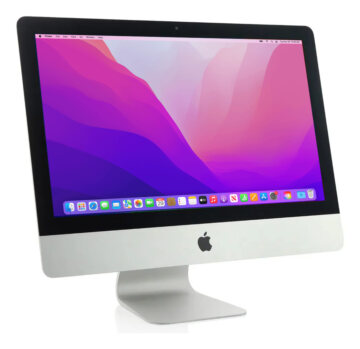
The word “iMac” covers very different desktop computers. Before comparing prices, identify the exact year and configuration of each unit, then inspect its real condition and included accessories.
21.5-inch and 27-inch Intel iMacs
Intel generations vary by display, processor, upgrade options and ports. Confirm the exact year, installed RAM and whether the storage is an SSD, hard drive or Fusion Drive. Some 27-inch models allow easier RAM upgrades; do not assume this applies to every iMac.
The 24-inch iMac with M1
The 2021 24-inch iMac combines an Apple M1 chip with a 4.5K Retina display. Compare unified memory, SSD capacity, ports and included accessories on the specific listing. It can be a compact desktop upgrade from an older Intel model.
24-inch iMacs with M3 and M4
Later 24-inch generations use newer Apple chips but do not all have the same memory, storage or connectivity. Verify each listed unit rather than inferring specifications from its color or model year alone.
Used-iMac inspection checklist
Request real photos of the screen while powered on and of its edges. Ask about spots, pixels, camera, audio, Wi-Fi, Bluetooth and ports. Confirm the keyboard, mouse and power cable, plus price, warranty and pickup location. Unlike a MacBook, an iMac has no battery cycles to compare.
Frequently asked questions
Is an Intel iMac still worth buying?
It depends on the price, condition and software you need. Check that the exact model supports the applications and macOS version required for your work.
Can I use a sold listing as a stock offer?
No. Sold listings are useful as historical configuration references, not evidence of current availability or price.
Browse the live catalog
These listings come from current inventory. Prices and availability can change, so confirm the specific device before visiting. Sold devices are not presented as available stock.